> ## Documentation Index
> Fetch the complete documentation index at: https://getconvoy.io/docs/llms.txt
> Use this file to discover all available pages before exploring further.
# Organizations and Projects
Convoy provides the tools to properly categorise your data. These tools are organisations and projects.
## Organisations
An organisation is the highest level namespace within a Convoy instance. It comprises several projects. Ideally, this should map to a real-world organisation or some form of high-level grouping.
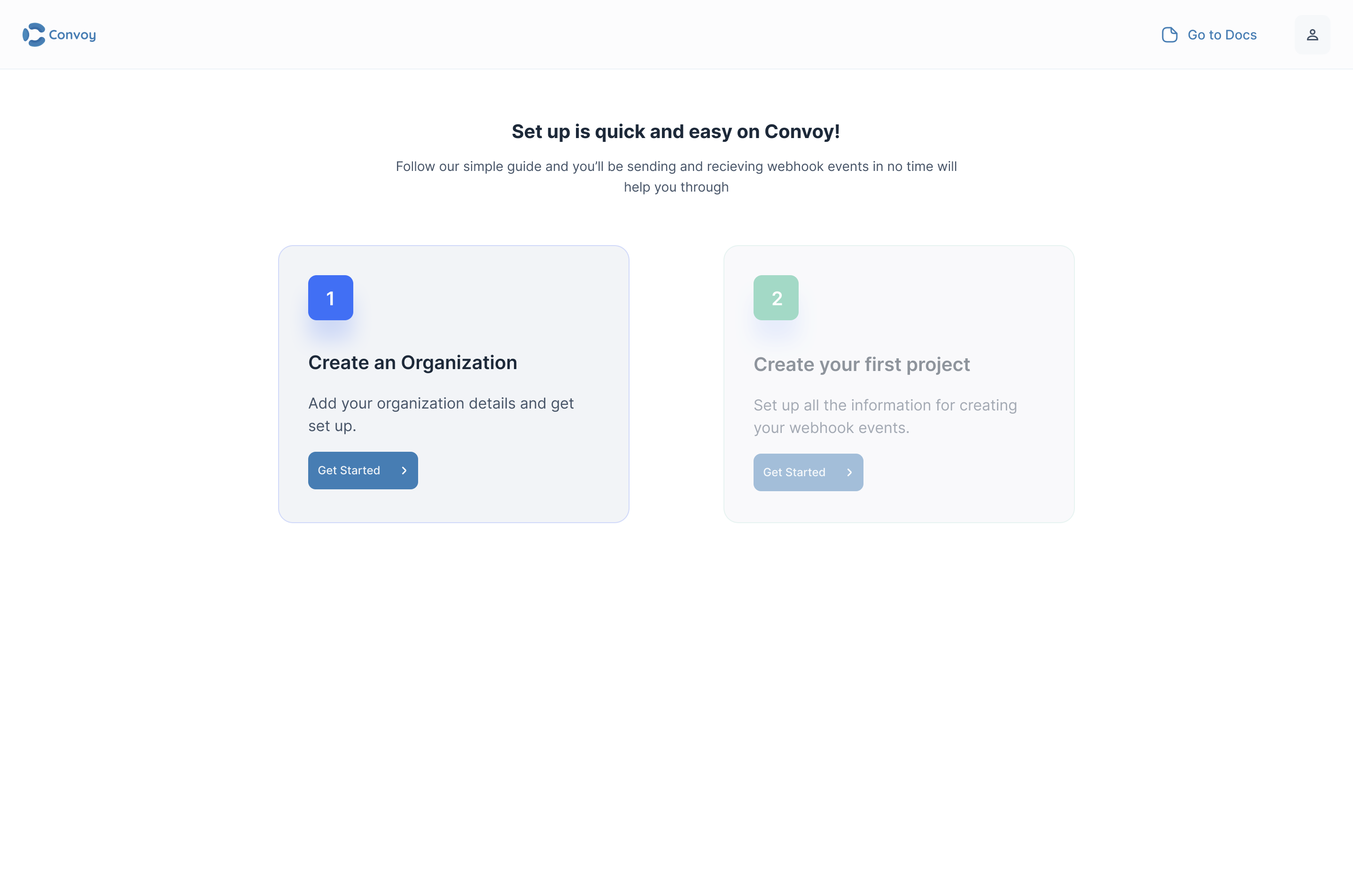
As a new user, an organization can be created by clicking on the **Create Organisation** on the dashboard:
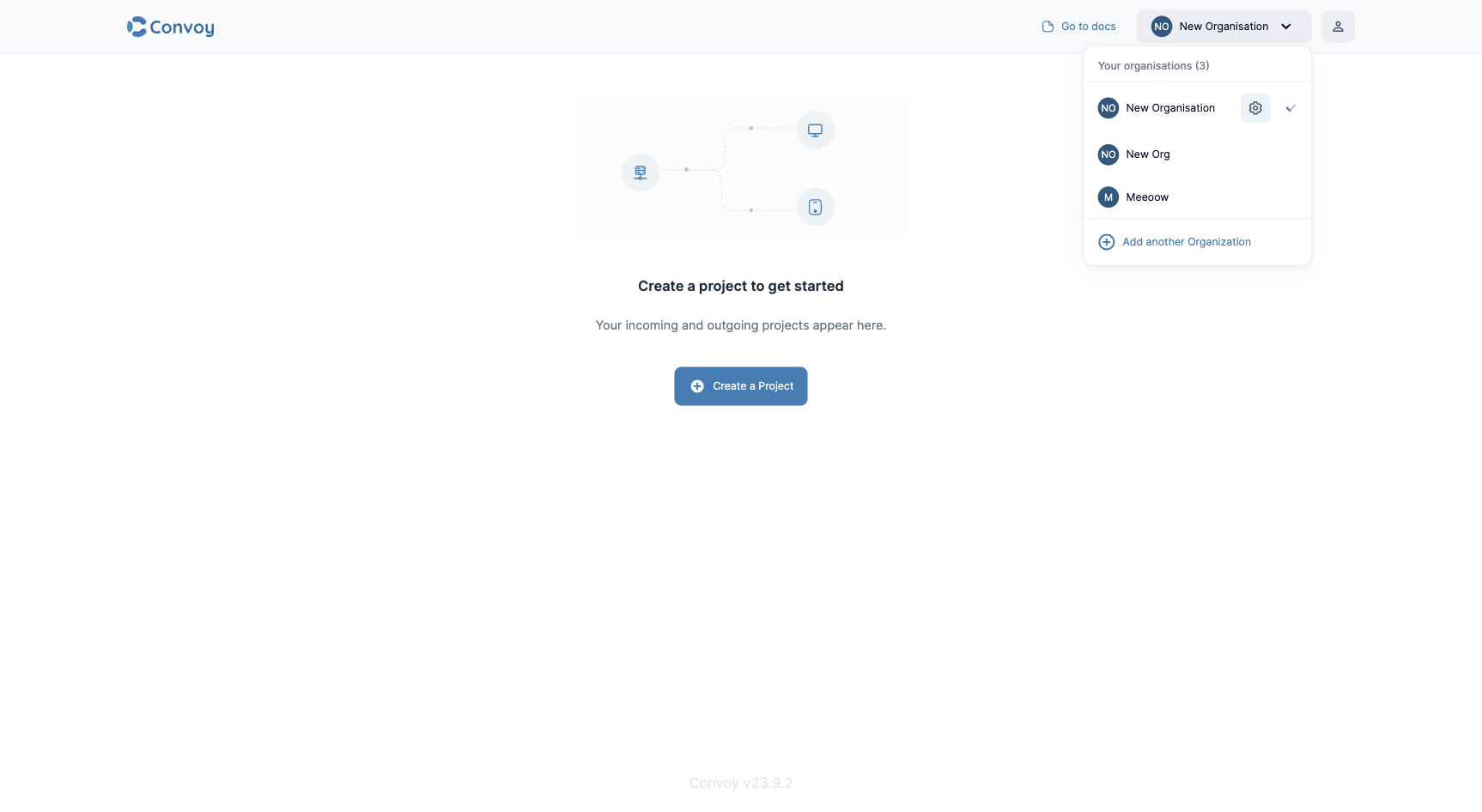
 To switch between organizations, open the current organization's settings, or create a new organization, use the account dropdown on the right of the top bar.
 ### Adding new members
In the Community Edition, all users are super users, so all users can invite other team members.
> Before doing this, ensure you have your SMTP configuration set up.
### Adding new members
In the Community Edition, all users are super users, so all users can invite other team members.
> Before doing this, ensure you have your SMTP configuration set up.
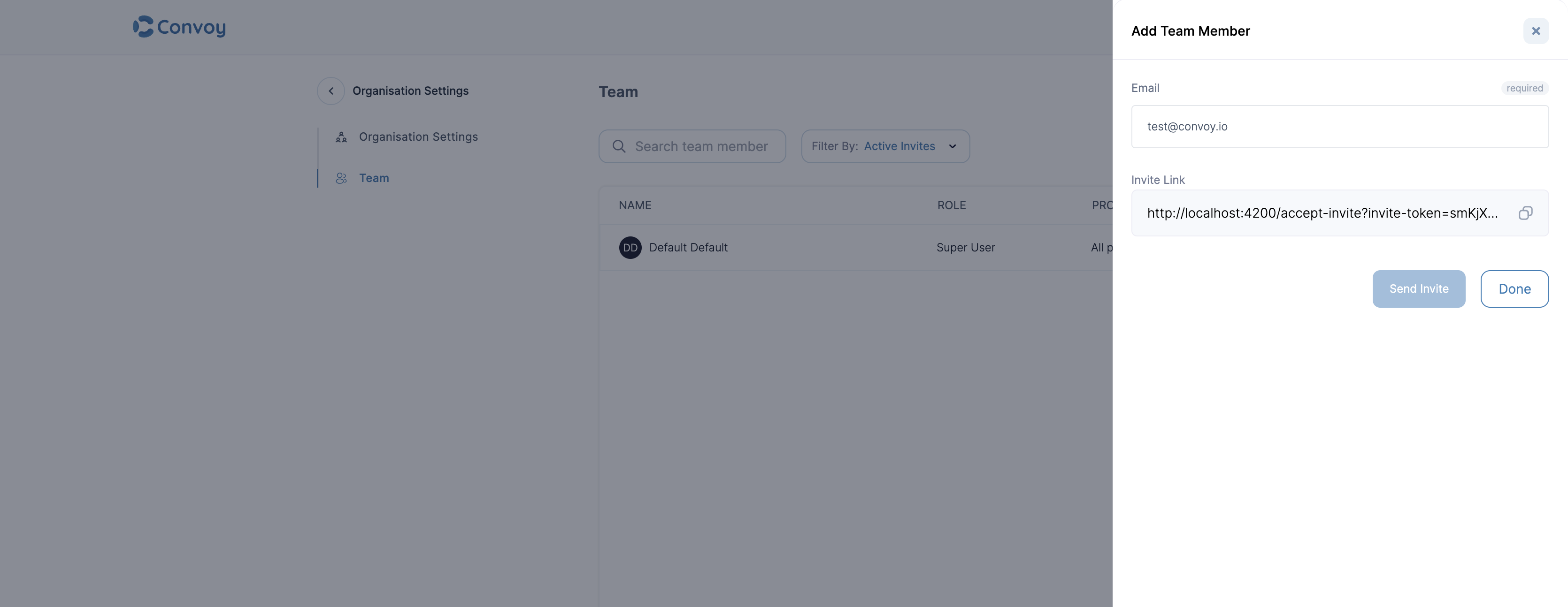
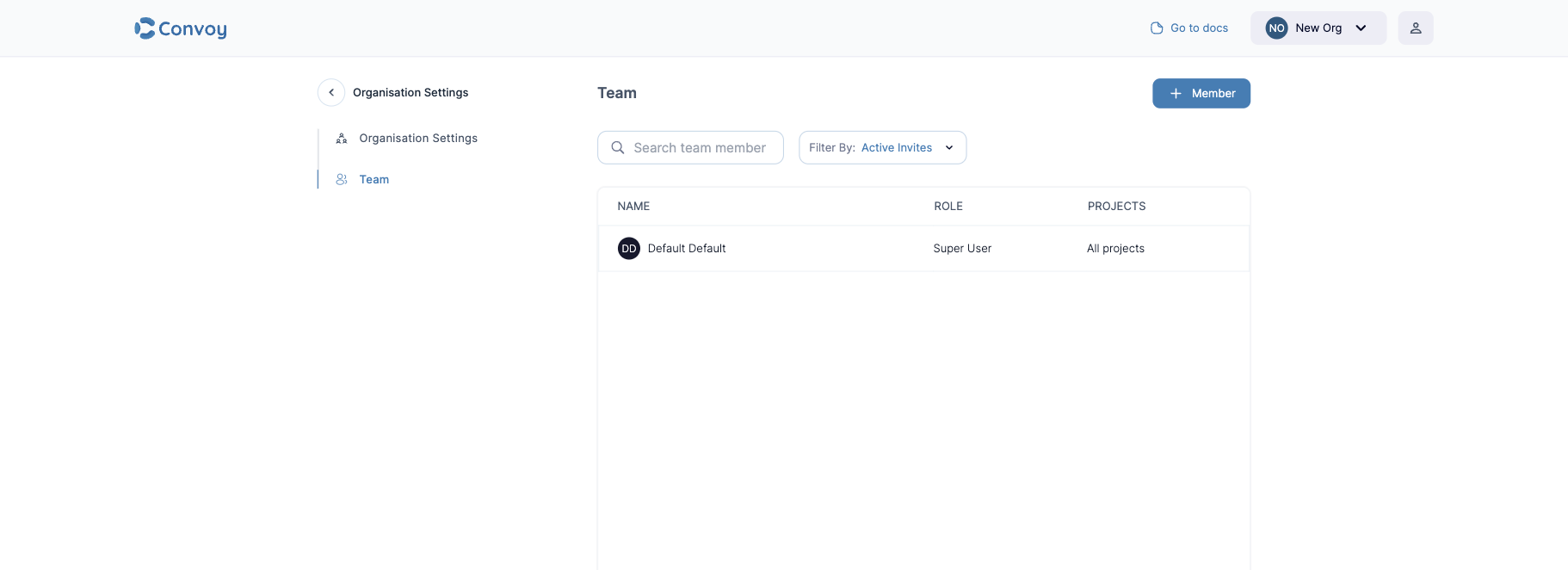 To add a new team member, visit the **teams** page at the top middle of the page.
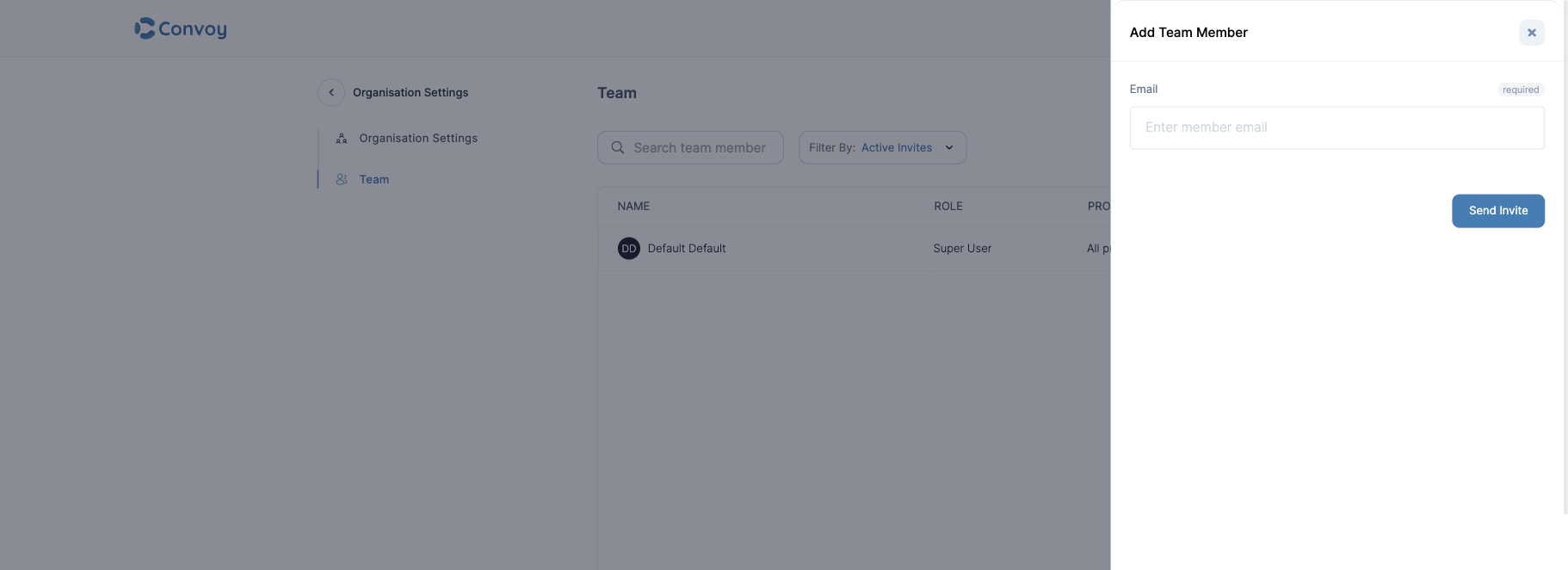 Once the invite is sent, the user will get an email with an invitation link to join the new project. An invitation token is valid for **2 weeks** after which you'd need to generate a new one.
## Projects
A [project](https://us.getconvoy.cloud/projects) is a hierarchical namespace for all core resources within Convoy. All events, endpoints, subscriptions and all other critical configurations belong to a project and a project belongs to an organisation.
There are two types of projects; Incoming and Outgoing projects.
Once the invite is sent, the user will get an email with an invitation link to join the new project. An invitation token is valid for **2 weeks** after which you'd need to generate a new one.
## Projects
A [project](https://us.getconvoy.cloud/projects) is a hierarchical namespace for all core resources within Convoy. All events, endpoints, subscriptions and all other critical configurations belong to a project and a project belongs to an organisation.
There are two types of projects; Incoming and Outgoing projects.
 ### Incoming project
An incoming project is designed to receive webhooks from third-party party sources like Github, Twilio, Stripe etc. and even custom sources based on any form of verification. It was designed for API consumers.
### Outgoing project
An outgoing project is designed to publish webhooks to users' endpoints. It is designed for API providers.
### Configure a Project
### Incoming project
An incoming project is designed to receive webhooks from third-party party sources like Github, Twilio, Stripe etc. and even custom sources based on any form of verification. It was designed for API consumers.
### Outgoing project
An outgoing project is designed to publish webhooks to users' endpoints. It is designed for API providers.
### Configure a Project
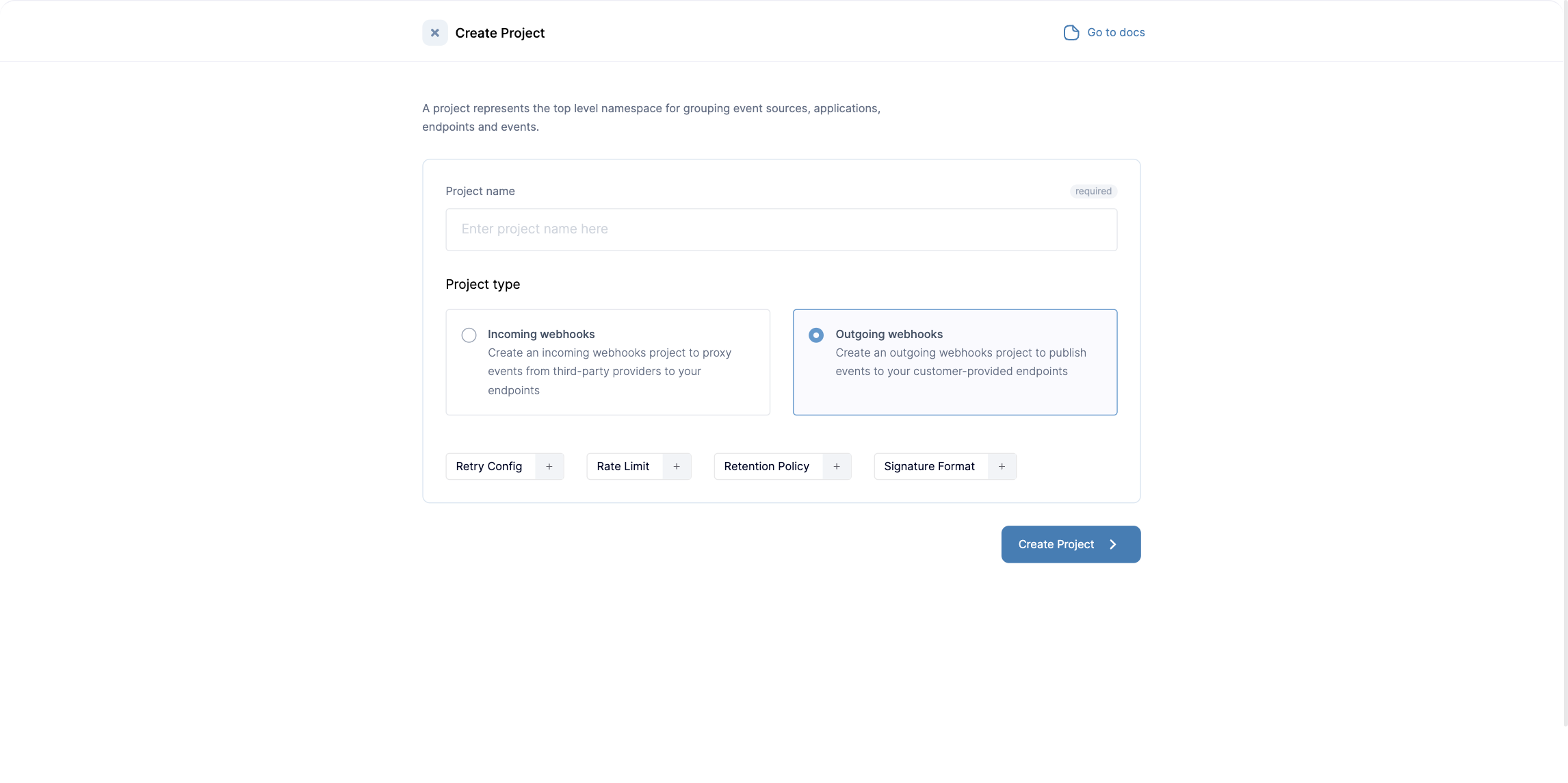 The following are parameters that can be configured on a project.
| Config | Type | Supported Values | Default |
| ------------------------ | --------------- | ------------------------------------------- | ------------------ |
| **Signature Details** | | | |
| Header | String | | X-Convoy-Signature |
| Hash | String | | SHA512 |
| **Retry Logic** | | | |
| Mechanism | String | Linear time retry, Exponential time backoff | Linear time retry |
| Duration | Duration String | | 5s |
| Limit | Integer | | 5 |
| **Rate Limit** | | | |
| Duration | Duration String | | 5s |
| Limit | Integer | | 5 |
| **Others** | | | |
| Disable Failing Endpoint | Boolean | | False |
| Search Policy | Duration String | | 720h (30 days) |
| Enable Meta Events | Boolean | | False |
#### Relationship with subscription
All these configurations act as sensible defaults for all subscriptions in a project. A project can't exist without all these parameters defined in the project. Each configuration can also be described on subscriptions in a project, where a subscription doesn't define these parameters, we fall back to the project's defaults.
### Multiple Projects & Multi-Tenancy
There are several practical ways of using projects. Convoy's official recommendation for handling multi-tenant architectures is as follows:
* **A project per environment:** We strongly recommend maintaining projects **per environment** (e.g., Staging vs. Production) rather than per customer. Currently, projects cannot be created dynamically via the API and must be provisioned ahead of time. However, every other entity inside a project (sources, endpoints, subscriptions) can be fully managed via the API.
* **Single Project for Multi-Tenancy:** Since projects are per environment, the best practice for handling your actual tenants (customers) within that environment is to use a **Single Project** with **Fan-out** or **Broadcast** event structures. By providing the tenant's `owner_id` when ingesting an event, Convoy routes it automatically to all endpoints registered for that specific tenant.
* **Community Limitations**: The Community edition is strictly limited to 1 organization and 2 projects. For true multi-tenant management without limits, the Enterprise/Premium version is required.
The following are parameters that can be configured on a project.
| Config | Type | Supported Values | Default |
| ------------------------ | --------------- | ------------------------------------------- | ------------------ |
| **Signature Details** | | | |
| Header | String | | X-Convoy-Signature |
| Hash | String | | SHA512 |
| **Retry Logic** | | | |
| Mechanism | String | Linear time retry, Exponential time backoff | Linear time retry |
| Duration | Duration String | | 5s |
| Limit | Integer | | 5 |
| **Rate Limit** | | | |
| Duration | Duration String | | 5s |
| Limit | Integer | | 5 |
| **Others** | | | |
| Disable Failing Endpoint | Boolean | | False |
| Search Policy | Duration String | | 720h (30 days) |
| Enable Meta Events | Boolean | | False |
#### Relationship with subscription
All these configurations act as sensible defaults for all subscriptions in a project. A project can't exist without all these parameters defined in the project. Each configuration can also be described on subscriptions in a project, where a subscription doesn't define these parameters, we fall back to the project's defaults.
### Multiple Projects & Multi-Tenancy
There are several practical ways of using projects. Convoy's official recommendation for handling multi-tenant architectures is as follows:
* **A project per environment:** We strongly recommend maintaining projects **per environment** (e.g., Staging vs. Production) rather than per customer. Currently, projects cannot be created dynamically via the API and must be provisioned ahead of time. However, every other entity inside a project (sources, endpoints, subscriptions) can be fully managed via the API.
* **Single Project for Multi-Tenancy:** Since projects are per environment, the best practice for handling your actual tenants (customers) within that environment is to use a **Single Project** with **Fan-out** or **Broadcast** event structures. By providing the tenant's `owner_id` when ingesting an event, Convoy routes it automatically to all endpoints registered for that specific tenant.
* **Community Limitations**: The Community edition is strictly limited to 1 organization and 2 projects. For true multi-tenant management without limits, the Enterprise/Premium version is required.