
One of the essential characteristics of a reliable webhooks infrastructure is visibility. We're enabling you to extend that visibility to your customers with the App Portal.
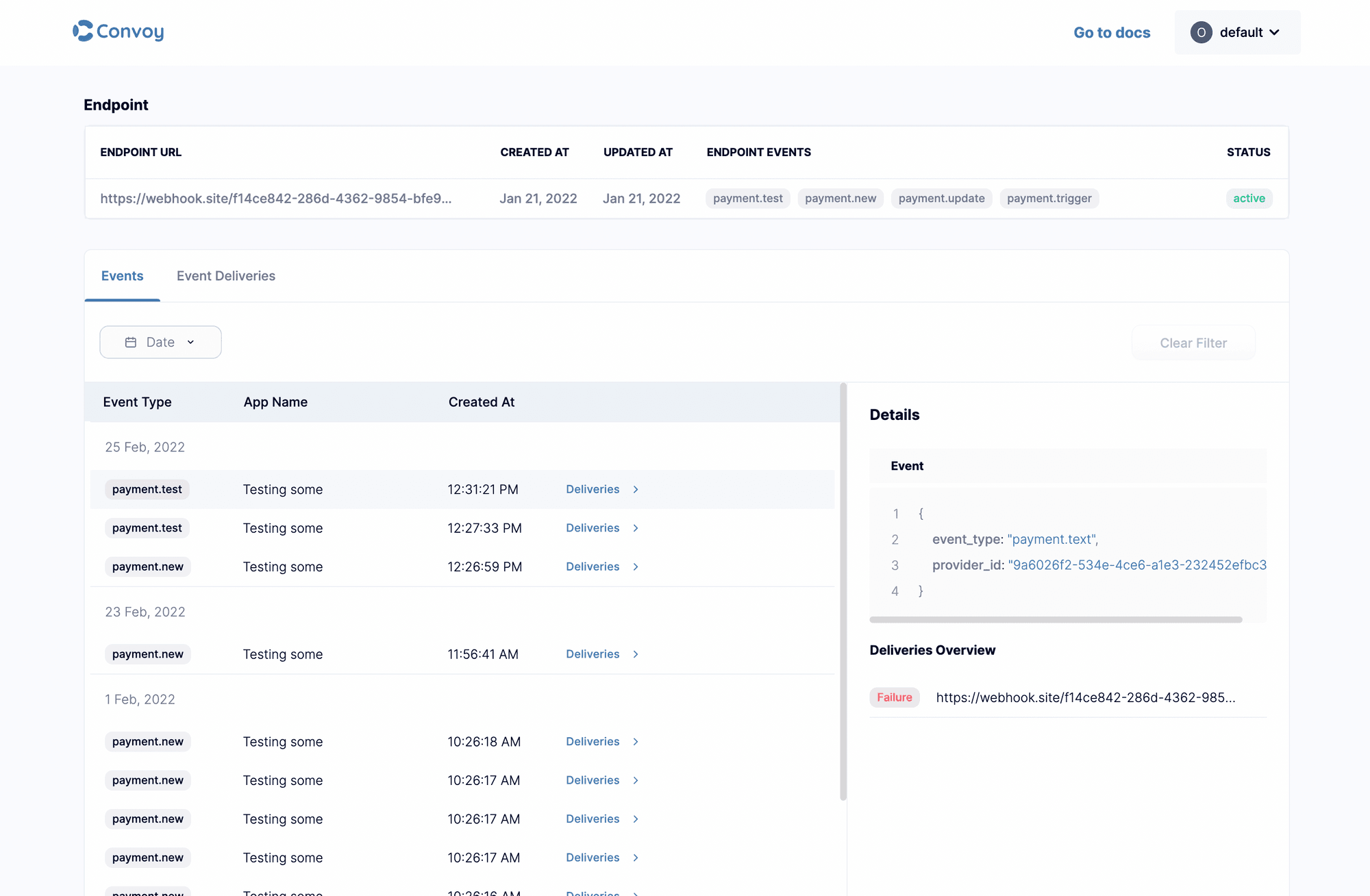
Unlike the Collectivis Dashboard, App Portal is for just one application, giving your customers a good and extensive amount of details they need to test, manage and debug their integration with you.
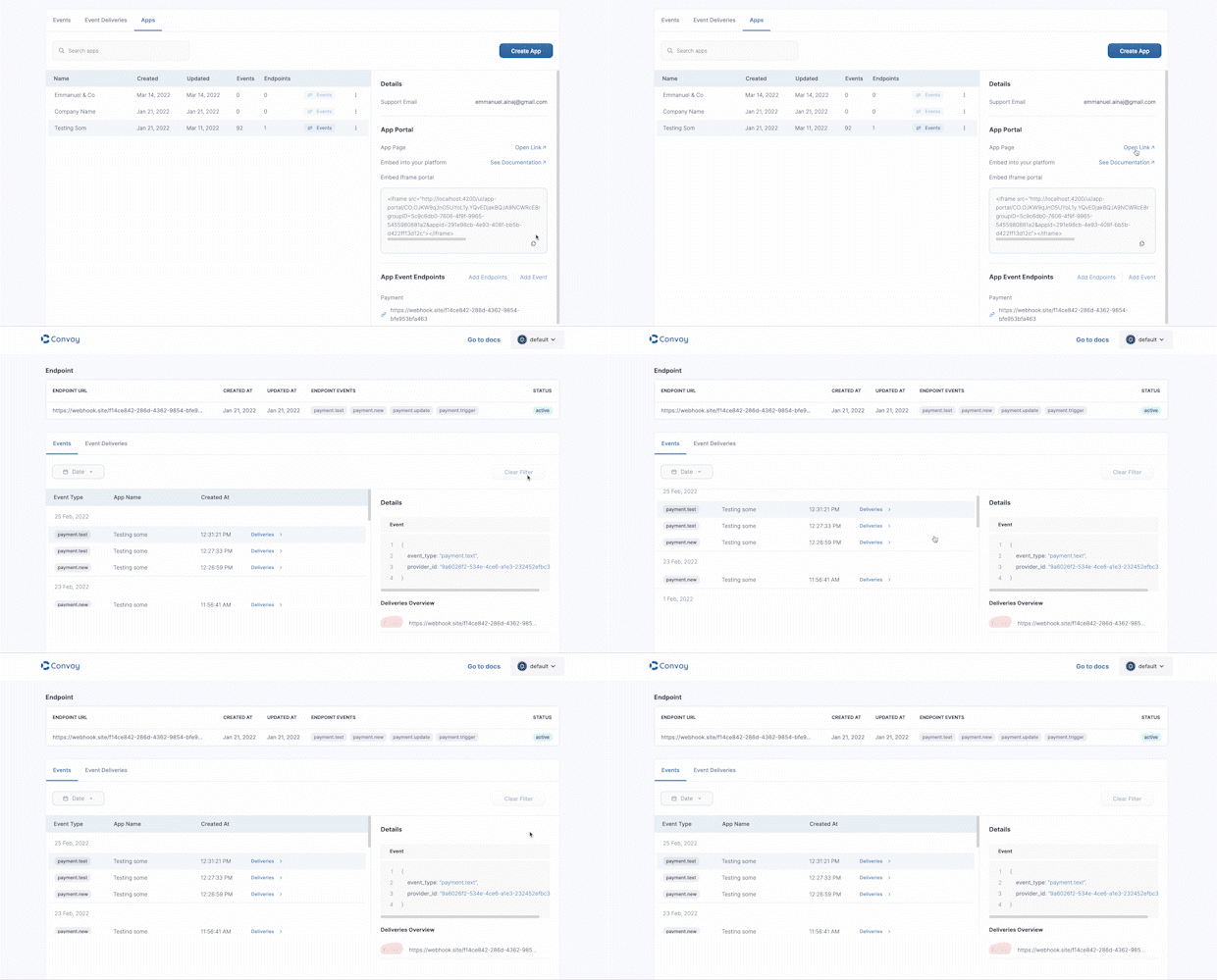
App Portal is integrated directly into Collectivis Core, meaning you can access your customer's app portal from the app details section; it doesn't end there. We built the App portal to be usable in three different ways:
As a web component: enabling you to install it into your existing customer application (that's ease), App Portal is currently available for the two of the most popular Javascript frameworks; Angular and React.
Through a link: you can open it in a new tab and share it with a customer quickly. Note: the token expires, i.e. the link will be usable for a limited period.
Through an iframe: you can embed it into a vanilla HTML/Javascript application, copy the iframe code from the dashboard, and past it into your HTML code.
 Pro-Tip
The token embedded into the iframe code also expire, so you can use this API to generate a new token whenever your user enters the page with the iframe.
Let's see how this works. App Portal component requires just two props:
token: Think of this as an authentication token. The token can be generated by making a post request to
/apps/{this.appsDetailsItem.uid}/keys(API reference here)apiURL: This should be the URL of the server where Collectivis is deployed.
<convoy-app [token]="token" [apiURL]="apiURL"></convoy-app>
The token generated from the API already has the context of the app you want to view, so you don't need to worry about that. App portal handles everything it needs within itself; all you need today are the two props listed above.
Installing App Portal
Angular
You can get started with using App Portal in your Angular application by following the three simple steps below:
- Run
npm i convoy-appin your existing Angular application to install the package - Import
CollectivisAppModuleinto your application module as shown below - Add CollectivisApp to your HTML page
import { CollectivisAppModule } from 'convoy-app';


@NgModule({
    ...
    imports: [..., CollectivisAppModule],
    ...

    )}
<convoy-app [token]="token" [apiURL]="apiURL"></convoy-app>
React
Adding App Portal to your React application can be done in two steps:
- Run
npm i convoy-app-reactin your existing React application to install the package - Add
CollectivisAppto your desired page
import { CollectivisApp } from 'convoy-app-react';
import 'convoy-app-react/dist/index.css';

...

<CollectivisApp token={'token'} apiURL={'apiURL'} />

...
Next Steps
The next steps:
Enabling UI Customization: Because App Portal will mostly reside on your customer platform, the next couple of updates will allow you to customize the look and feel of the page to suit your brand.
App Portal will always be up to date with Collectivis Dashboard: We will continue to update App Portal with the latest features as we push and implement them on the main dashboard; with the necessary ones.
More functionalities: We'll be exposing more features to the App Portal as we seem fit, enabling your customers to focus on the essential things and letting you focus on building for them.
It is not the end: We're actively reviewing ways to make Collectivis ridiculously easier to use. You can always be sure we'll always bring updates.