

Types of event
At the moment, these are the events we currently support with plans to add some more later in the future.Payload Structure
- Endpoints
- Event Deliveries
endpoint.created
endpoint.updated
endpoint.deleted
eventdelivery.failed, the failure reason is available as data.description
(for example Retry limit exceeded). For lower-level network/request errors,
data.attempt.error carries the underlying error (for example a timeout,
connection refused, DNS, or TLS error), as shown above. data.attempt.error is
only present when the request failed before a response was received; when the
endpoint returns an HTTP response (for example 400 or 500),
data.attempt.http_status is set instead and data.attempt.error is omitted.
data.attempt.ip_address is the resolved endpoint address; it is populated once
a connection is established (so it is empty on DNS or connection-refused
failures, but present on a response timeout like the one above).
Both eventdelivery.success and eventdelivery.failed also include delivery
timestamps: data.acknowledged_at is when Convoy accepted and queued the
delivery (the start of the latency clock), data.attempt.requested_at is when
Convoy sent the HTTP request, and data.attempt.responded_at is when the
response came back. responded_at is omitted when no response was received (for
example a timeout or connection failure), as in the failed example above.
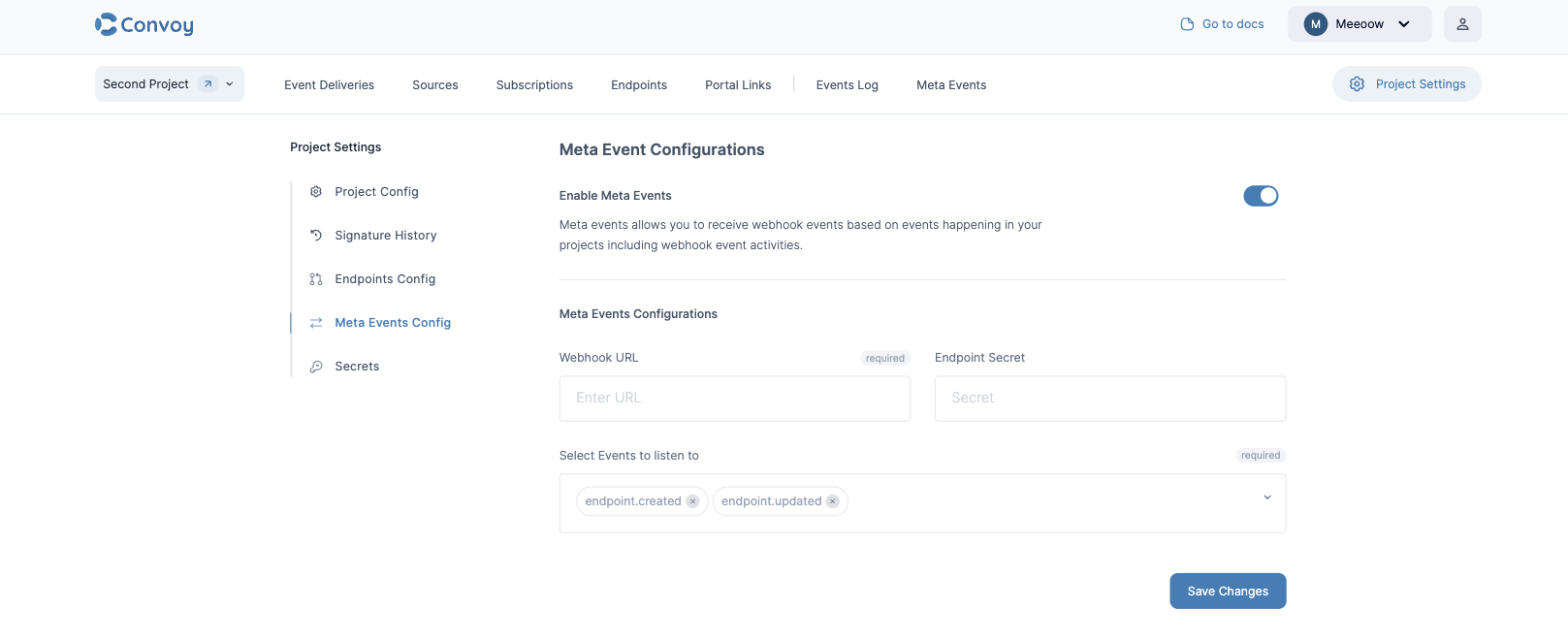
Meta events are completely optional and can be turned on under the Project settings page. All you need to do is provide a webhook URL to receive these events, a secret for signing the payload (optional) and the events you would like to subscribe to.
Viewing Meta Events
You can also view a list of all your Meta events.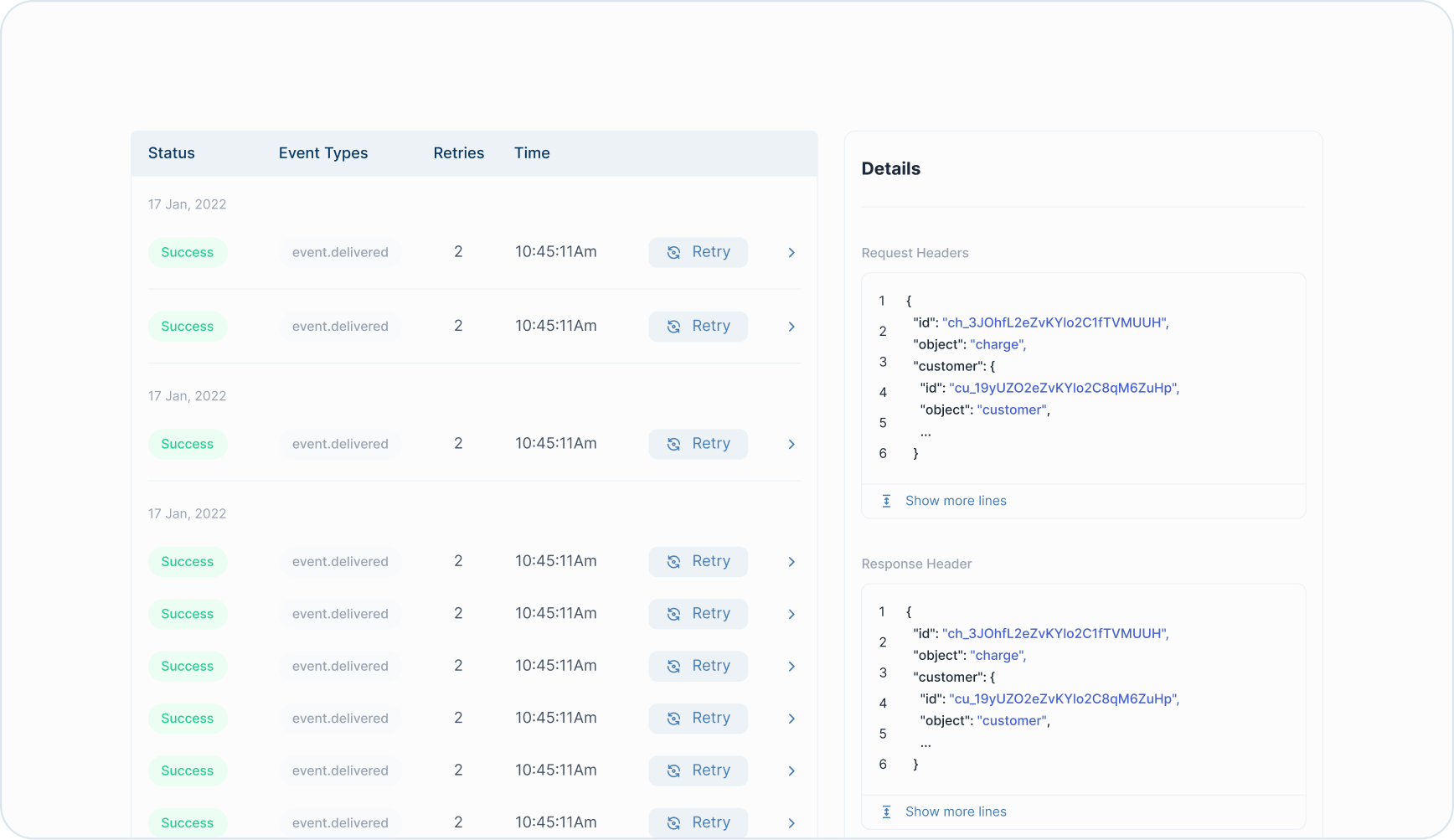
Meta Event Signature
We use the secret either provided by you or generated by us to sign the payload usingSHA256 hashing algorithm and hex encoding. The value is contained in the X-Convoy-Signature header, and you can use that to validate that the event was sent by Convoy.